



Lesson Planet
Search educational resources
  • Sign In Try It Free
  • AI Teacher Tools
    • Discover Resources Search reviewed educational resources by keyword, subject, grade, type, and more
    • Curriculum Manager (My Content) Manage saved and uploaded resources and folders To Access the Curriculum Manager Sign In or Join Now
    • Browse Resource Directory Browse educational resources by subject and topic
    • Curriculum Calendar Explore curriculum resources by date
    • Lesson Planning Articles Timely and inspiring teaching ideas that you can apply in your classroom
    • Our Story
    • Frequently Asked Questions
    • Testimonials
    • Contact Us
  • Pricing
  • School Access
    • Your school or district can sign up for Lesson Planet — with no cost to teachers
      Learn More
  • Sign In
  • Try It Free

Hi, what do you want to do?

Create a lesson plan
Generate resources with 80+ AI teacher tools
Search 200,000 instructional videos
Find a teaching resource
Act Den: Microsoft Front Page 98 Tutorial Unit Plan
Publisher
ACT360 Media
Resource Details
Curator Rating
Educator Rating
Not yet Rated
Grade
9th - 10th
Subjects
21 Century Skills
1 more...
Resource Type
Unit Plans
Audiences
For Administrator Use
2 more...
Lexile Measures
0L
Unit Plan

Act Den: Microsoft Front Page 98 Tutorial

Curated by ACT

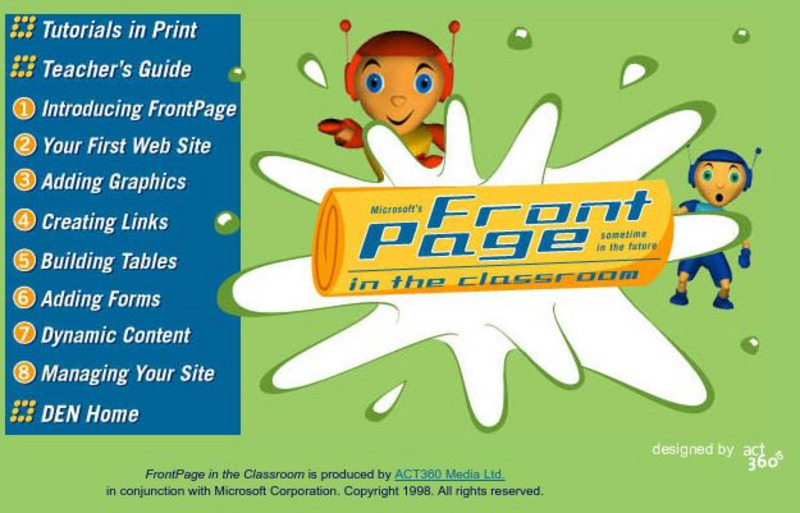
Are you looking to learn the basics of web page design with Microsoft FrontPage 98? This fun and educational tutorial offers interactive activities and quizzes. The tutorial covers: introduction to FrontPage, creating your first website, adding graphics, creating links, building tables, adding forms, adding dynamic content, and managing your website.

3 Views 0 Downloads

Concepts

netscape navigator, url

Additional Tags

.aif, .mid, .ram, .wav, activating the forms toolbar, activating the image toolbar, adding a clipart graphic, adding a hit counter, adding a time stamp, adding a video control panel, adding and formatting text, adding background graphics, adding background sound, adding borders and buffers, adding captions to a table, adding check boxes, adding forms, adding images to a table, adding rows and columns, adding text to table cells, adding your own image, aligning objects in cells, browser, building tables, changing backgrounds, changing cell width and height, changing hyperlink colors, changing the submit button, checking image size and speed, checking your spelling, collecting data, cool for school, copying an image to another page, creating a bookmark, creating a form, creating a one-line text box, creating a simple hyperlink, creating a simple table, creating a table of contents, creating a web site, creating an e-mail hyperlink, creating an image map, creating radio buttons, cropping an image, defining borders, defining cell padding and cell spacing, defining form fields, defining forms, defining hyperlinks, defining web graphics, editing hyperlinks, frontpage 98, frontpage explorer, frontpage personal web server, how big is your site?, how doe you create a web site?, image properties, including text alternatives, inquiring about frontpage server extensions, inserting a video clip, linking to a bookmark, linking to a new page, making a drop-down menu, making a scrolling text box, making a transparent image, making interlaced images, making your video run automatically, microsoft internet explorer, moving an image, nesting tables, obtaining a location, obtaining access, previewing your page, putting a table within a table, resizing an image, saving an attached image, saving your page, saving your sound file, sending data to a web page, sending data to your e-mail, servers, sound file, surf the web, switching views, targeting links, the world wide web, turning a graphic into a hyperlink, turning text into a hyperlink, uploading your web site, using tables for visual summaries, using tables in web pages, views toolbar, web page, web server, what does it mean to publish a website?, what does upload mean?, what is a web site?, what is frontpage?, what's background sound?, working on a web page, act360 media ltd: microsoft frontpage 98 tutorial, gif, jpeg, finding an isp or web host for your website, non-transparent gif, transparent gif, microsoft frontpage

Classroom Considerations

  • Knovation Readability Score: 2 (1 low difficulty, 5 high difficulty)
  • This resource is only available on an unencrypted HTTP website.It should be fine for general use, but don’t use it to share any personally identifiable information

See similar resources:

Lesson Plan

Today's Front Pages

Newseum
Take a close look at a number of newspapers with collection of lessons and activities. Using a poster (which can be found under the materials tab), learners examine the hard copy of a local newspaper. This leads into an exploration of...
6th - 12th 21 Century Skills
Lesson Plan

Microsoft Office for Mac 2011 Tutorial: PowerPoint Basics

Curated OER
Here's a tutorial designed to introduce Mac users to the basics of Microsoft's PowerPoint software and to help them develop their skills using the program.
3rd - 12th 21 Century Skills
Unit Plan

Act Den: Microsoft Front Page 2000 Tutorial

ACT360 Media
Are you looking for a creative way to learn about using FrontPage 2000? This colorful and informative tutorial uses interactive activities/quizzes to assist in your learning process. The tutorial covers: creating pages and web sites,...
9th - 10th 21 Century Skills
Unit Plan

Act Den (Digital Education Network) Software Tutorials

ACT360 Media
Free online tutorials for computer software, including FrontPage, Office, PowerPoint, and Outlook Express are generously offered at this website. Students will find it easy to follow Agent Max Millennium as he guides them through...
9th - 10th 21 Century Skills
Lesson Plan

Act Den: The Vanishing Act Lesson Plan

ACT360 Media
Create your own transparent GIF's in Paint Shop Pro. Learners will also have the opportunity to practice techniques to create unique graphics for their web pages.
9th - 10th 21 Century Skills
Unit Plan

Act Den: Power Point 2007 in the Classroom

ACT360 Media
Your cartoon hosts Sue and Jim will walk you through this tutorial on how to use Microsoft Power Point 2007.
9th - 10th 21 Century Skills
Unit Plan

Act Den: Outlook Express Tutorial

ACT360 Media
Are you looking to master Outlook Express? This fun and informative tutorial uses colorful activities and interactive quizzes to teach learners the basics of this e-mail software. The tutorial covers: sending and receiving e-mail, fancy...
9th - 10th 21 Century Skills
Unit Plan

Act Den: Power Point in the Classroom

ACT360 Media
A humorous and detailed tutorial for using Microsoft PowerPoint 2000. Includes meeting PowerPoint, creating slides, making changes, adding images and charts, adding motion and sound, timing and rehearing for a presentation. Tutorials can...
9th - 10th 21 Century Skills
CCSS: Designed
Lesson Plan

Word Basics

University of Detroit Mercy
Are you using or considering using Microsoft Word for Mac 2011? If so, check out this tutorial that introduces some of the tasks and features that you can use in all your documents. Learn how to create a new document, navigate through a...
K - 12th 21 Century Skills
Interactive

Act Den: Art Box Paint Shop Pro Tools

ACT360 Media
Want to refresh your skills and learn the tools of Paint Shop Pro? This site has a user-friendly collection of Paint Shop Pro icons, click on each icon for a brief description and guide.
9th - 10th 21 Century Skills
Try It Free
© 1999-2026 Learning Explorer, Inc.
Teacher Lesson Plans, Worksheets and Resources

Sign up for the Lesson Planet Monthly Newsletter

Open Educational Resources (OER)

  • Health
  • Language Arts
  • Languages
  • Math
  • Physical Education
  • Science
  • Social Studies
  • Special Education
  • Visual and Performing Arts
View All Lesson Plans

Discover Resources

  • Our Review Process
  • How it Works
  • How to Search
  • Create a Collection

Manage Curriculum

  • Edit a Collection
  • Assign to Students
  • Manage My Content
Contact Us Site Map Privacy Policy Terms of Use